SimaPress, a new dashboard for WordPress

It tidies your WordPress dashboard: find any page or task with Ctrl+K, see today's sales first thing, and read every list the same clear way. It never touches WordPress core, and it is free and on for every WordPress site on Sima.

Free on every WordPress site on SimaWordPress core stays untouchedPersian, Jalali dates, light and dark
https://your-site.ir/wp-admin/
SimaPress
SimaPress · Free on every WordPress siteManaged WordPress
Search and quick commands

Every task behind Ctrl+K, no menu hunting

Type "order" or "new product" and its command tops the results, run with Enter. The same box finds menus, posts, users and order numbers, and each person sees only what they are allowed to do.

  • / or Ctrl+K from any page
  • Commands such as new order, upload media and dark mode
  • Find an order by its number
Search content, users, orders and menus…Ctrl K
Tasks
Orders in progressEnter
New order
Menus
OrdersWooCommerce
✓ Orders in progress opened
Sales dashboard

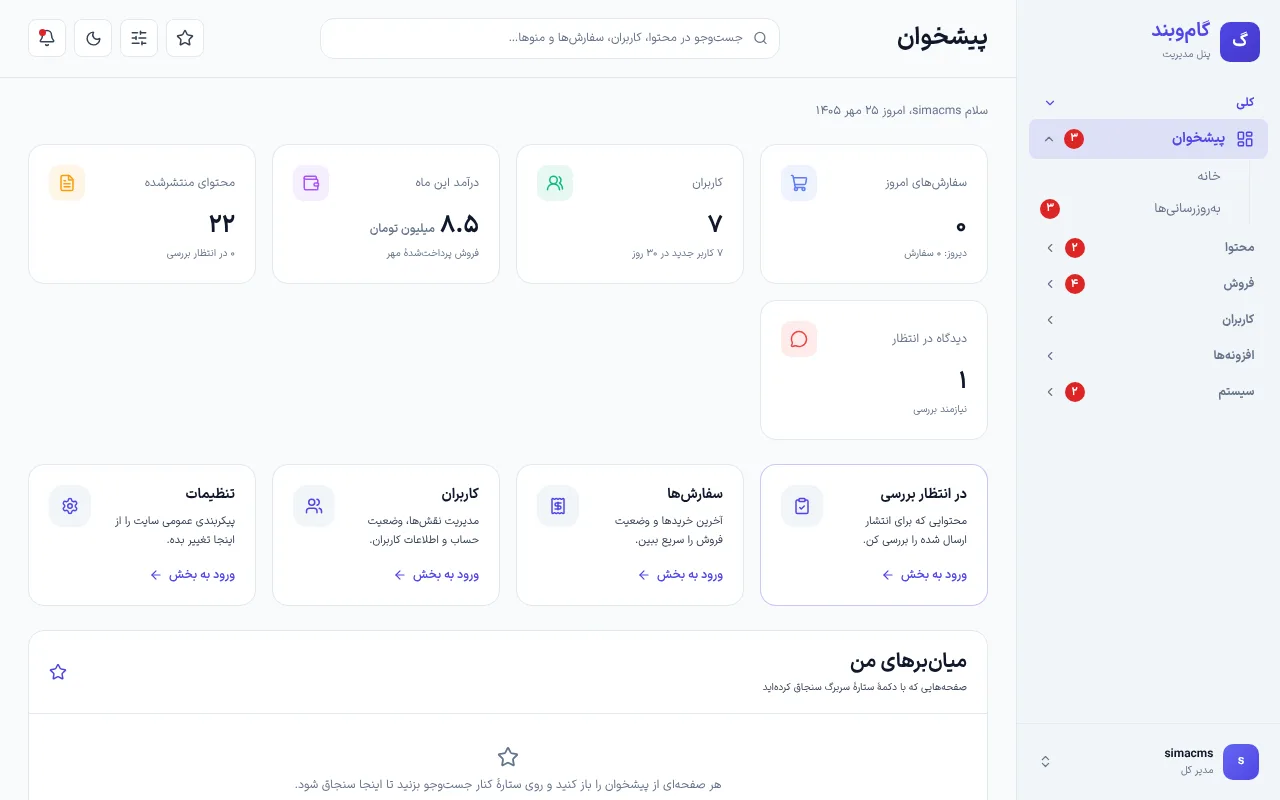
Today's sales are the first thing you see

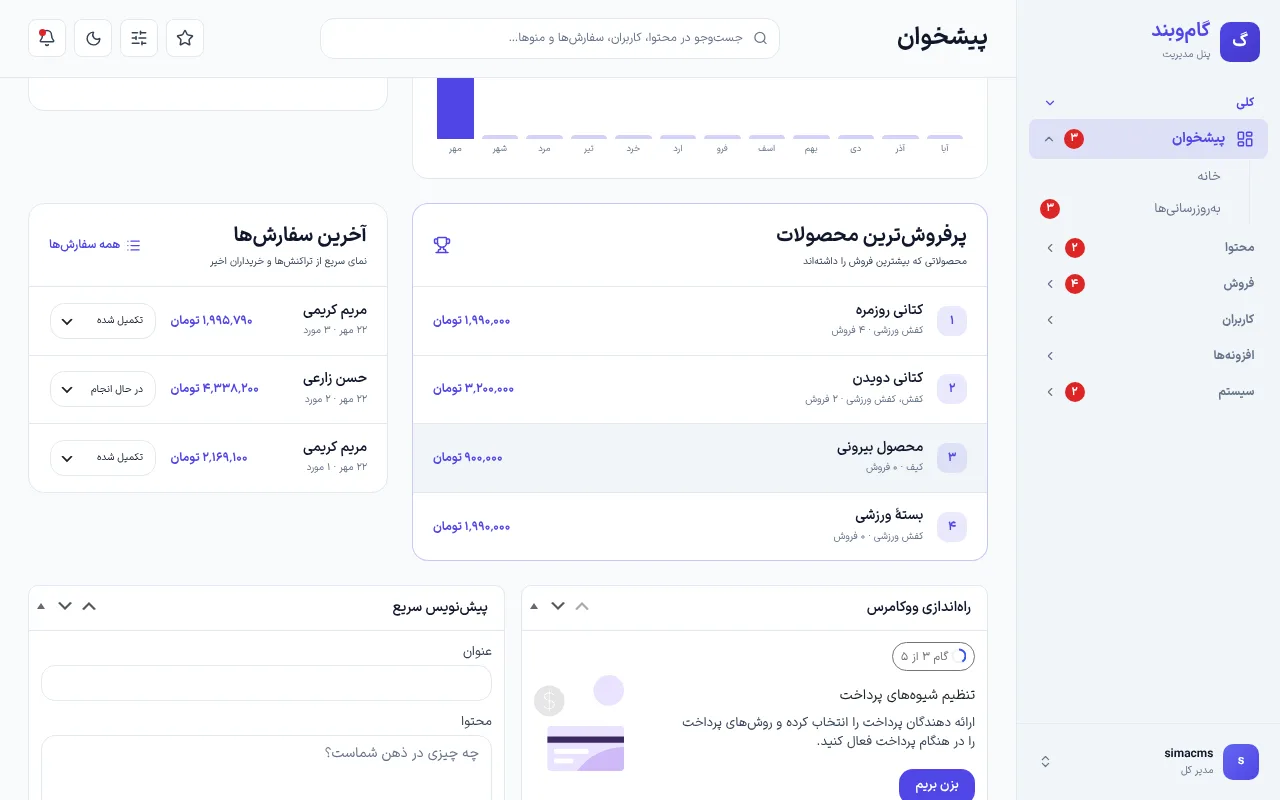
With WooCommerce, the dashboard shows today's orders, the month's revenue, twelve Jalali months of revenue, the best sellers and the latest orders. You change an order's status right there, and its emails and notes go out as from the order page.

  • A revenue chart in Jalali months
  • Change an order's status from the list
  • Your existing dashboard widgets stay
Today's sales are the first thing you see
Lists

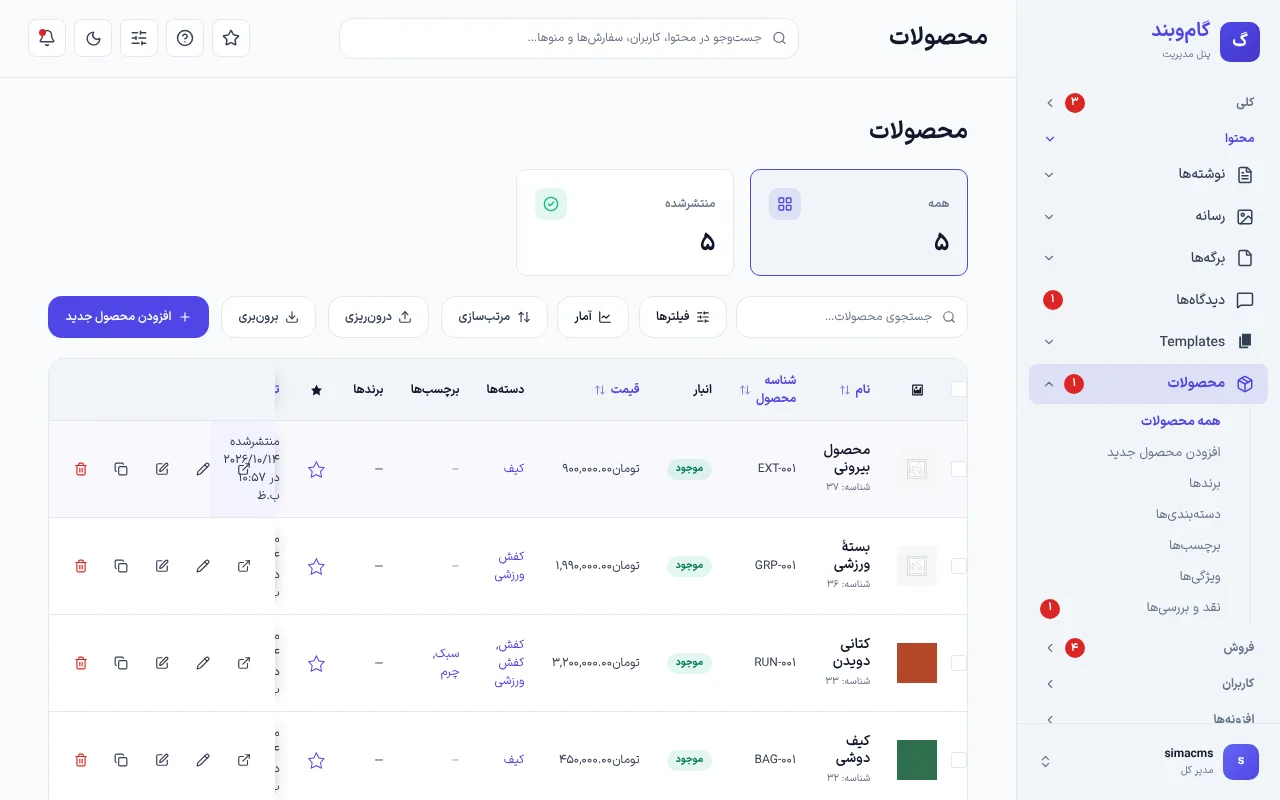
Every list in one clear shape

Posts, products, orders, users and any other plugin's list get status cards, a search toolbar, a filter drawer and a bulk-action bar. On a phone each row is a card. Only the look changes; quick edit and the forms are WordPress's own code.

  • Status cards instead of All and Published links
  • A sticky actions column on every row
  • Works for plugins' lists too
Every list in one clear shape
Light and dark

Dark mode and moving without reloads

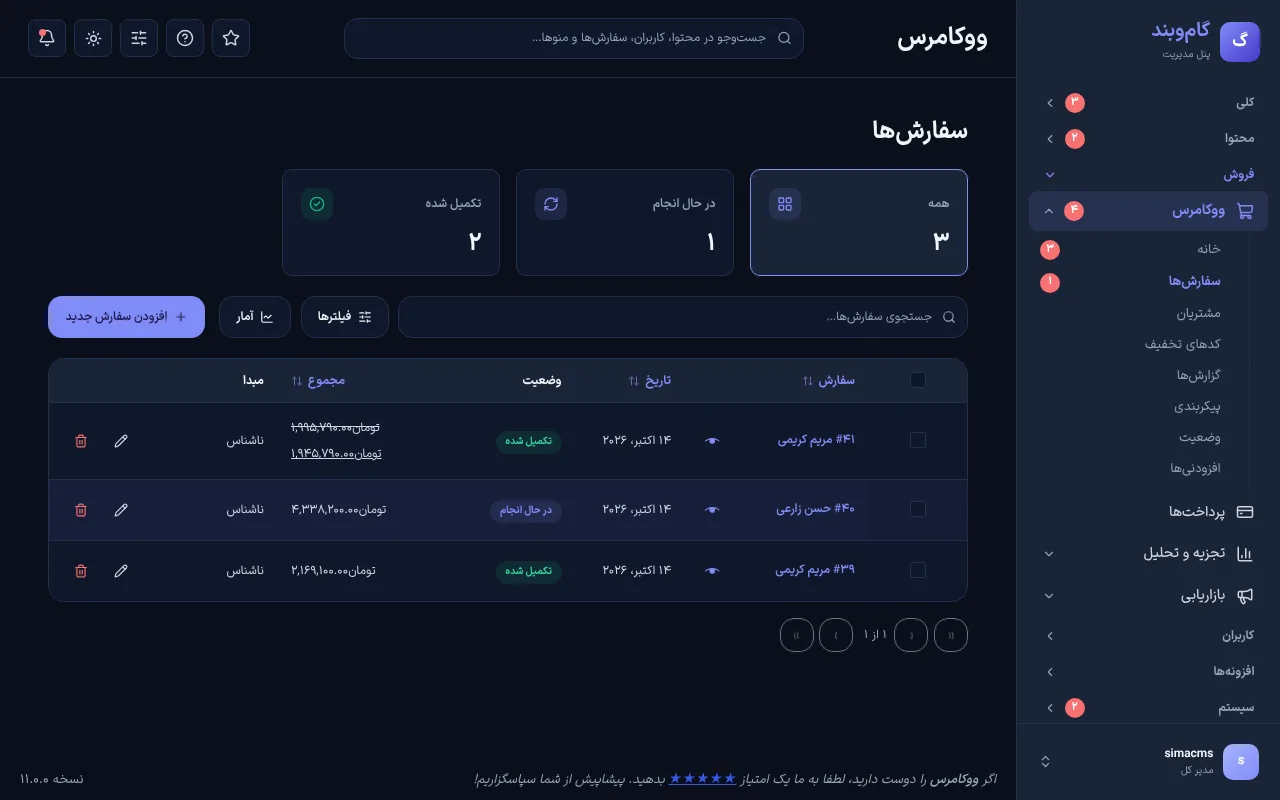
One button turns the dashboard dark, and each browser remembers it. You move between lists, settings and edit screens without a full reload; the sidebar and header stay put and the back button still works.

  • Can be turned off in SimaPress's settings
  • The unsaved-changes warning is kept
  • Plugins' pages sit in the same frame
Dark mode and moving without reloads

Small things you use every day

All of these on every WordPress site on Sima, from day one.

A grouped sidebarBuilt from WordPress's own menu, so every plugin's page appears by itself.
Real notificationsOrders in progress, comments and content awaiting review, and updates.
My shortcutsThe header's star pins any page to the dashboard.
Persian and JalaliPersian text, with Jalali dates and chart months.
The classic dashboard on handWhenever you need it, the old dashboard is one link away.
ReversibleIt never touches core; switch it off and everything is as before.
FAQ

Common questions

Does SimaPress cost anything?

No. It is installed and on for every WordPress site on Sima, at no charge.

Does it work with my plugins?

Yes. The menu is WordPress's own and the lists are WordPress's own tables, so plugins' pages and lists come in too.

Does it change WordPress core or my plugins?

No. It changes how the dashboard looks; the work is still WordPress's and WooCommerce's own code.

Can I still see the classic dashboard?

Yes. The classic dashboard is always there, and its widgets also show below SimaPress's cards.

SimaPress

SimaPress comes with your WordPress site

It's installed on every WordPress site you build here, at no extra cost. Pick a demo and start.

Build your first site today

Make an account, pick your business's demo and take your first order. No bank card needed.